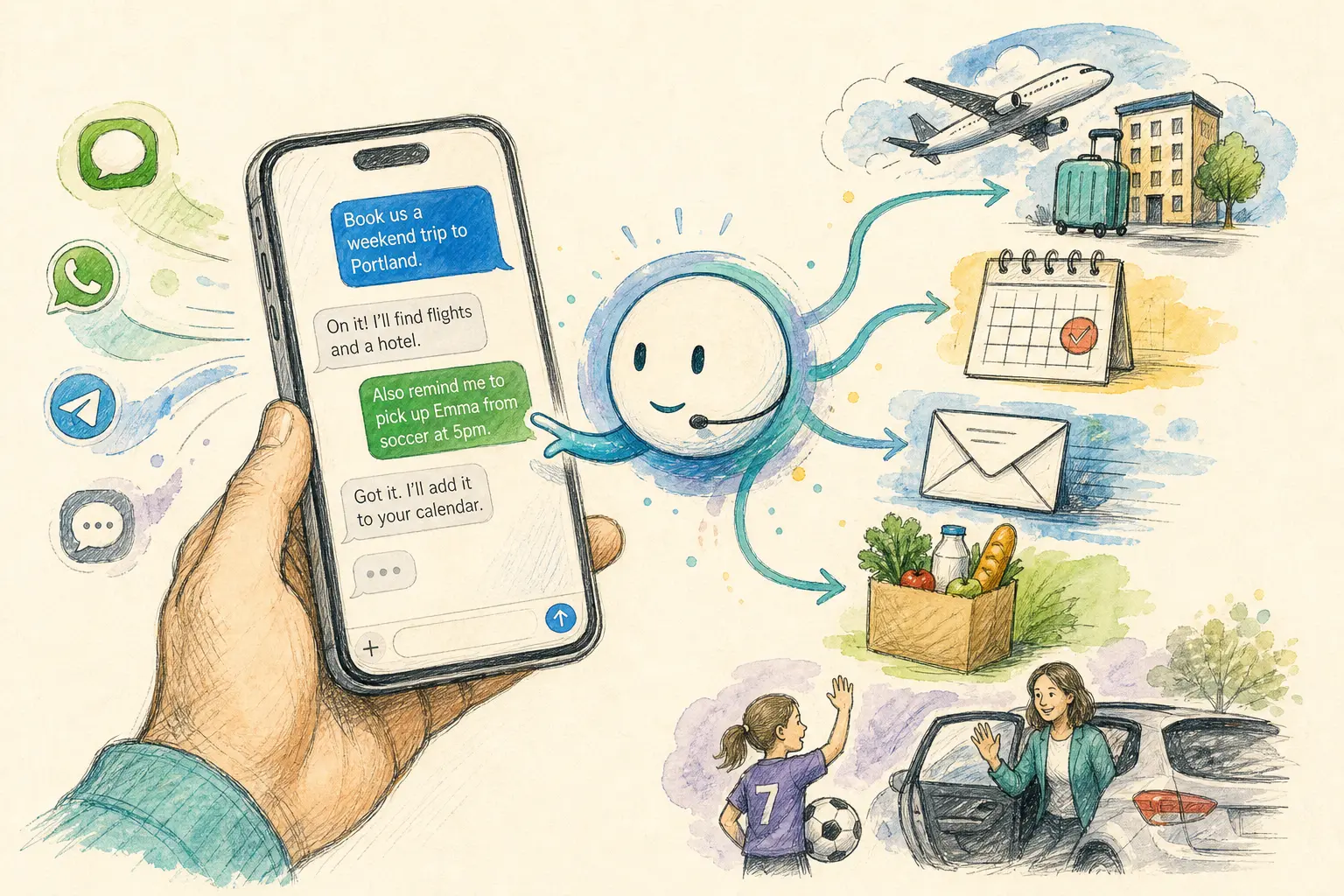
Text messages are becoming a control layer for AI assistants. Instead of asking people to adopt yet another standalone app, these products let users send a request in iMessage, WhatsApp, SMS, Telegram, Signal, or similar channels and then carry out the task using connected services.
That shift matters because it lowers the friction between asking for help and getting something done. In practice, these agents can remember context, look up information, interact with calendars and email, send messages, make calls, and sometimes complete multi-step tasks across devices and services.
Why text-based agents are getting attention
The appeal is straightforward: people already use messaging apps all day. A text-first assistant can slot into that habit instead of asking users to learn a new interface.
The current crop is broad. Some tools are general-purpose personal assistants. Others focus on families, travel, work, or content creation. A few add more technical features, such as running code, using a private cloud computer, or keeping data on-device.
One of the buzziest names in the category is Instinct, which recently drew attention after a $1 billion funding round at a $10 billion valuation. But it is far from alone.
General-purpose assistants
Several assistants aim to be a default text-based helper for everyday tasks:
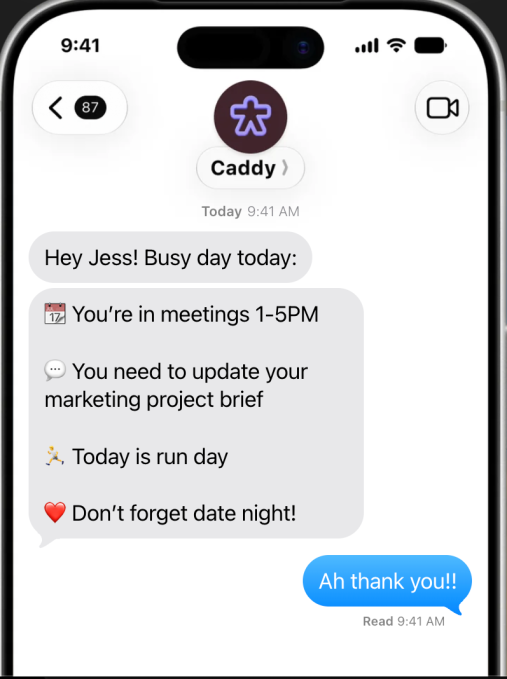
- Caddy works in iMessage for iPhone users and RCS for Android users. It can connect to calendars and conversations, then surface items that may need action, such as appointments, follow-ups, reminders, and research.
- Folk is available through iMessage, WhatsApp, and Telegram. It can remember personal context, track flights, handle email, and make restaurant reservations. It also runs on a private cloud computer and can execute multi-step tasks.
- Instinct lets users communicate by text or voice and connect apps such as email, calendar, and Google Workspace. The company says early users have used it for trip planning, grocery buying, ticket booking, and subscription cancellations.
- Iris is built around iMessage and is designed to delegate tasks while retaining context from earlier conversations. It also follows up proactively.
- Martin can be reached by SMS, phone, WhatsApp, email, Slack, and its own iOS app. It handles calendars, email, reminders, tasks, notes, and messaging, and can also place calls.
- Pally connects to apps such as WhatsApp, Gmail, calendars, and Google Drive to track plans, receipts, dates, and files.
- Rene focuses on natural-language task handling and can turn conversations into reminders, summaries, and follow-ups. It also includes a browser and can write code, shop, and create slides and images.
- Poke is a text-based assistant that handles calendars, planning, health and fitness, smart-home controls, photos, and other day-to-day tasks.
- Skye is positioned more as an "agentic homescreen" for the iPhone. Rather than waiting for a prompt, it analyzes connected services and surfaces briefings, suggestions, reminders, and meeting prep.
- Underdog takes a different approach by running entirely on the user’s device rather than in the cloud. The company says it is privacy-focused and plans to keep the app free initially.
Tools aimed at families and households
A second cluster is built around the logistical messiness of family life. These assistants try to pull together school notices, calendars, chores, meals, and group chats.
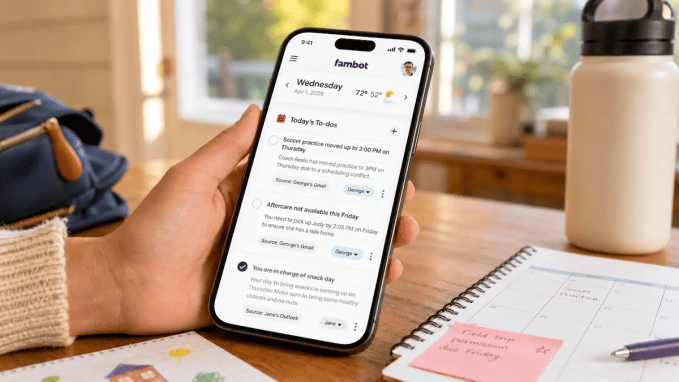
- Fambot acts like a family chief of staff, combining school communications, sports, meal planning, and calendars. It can send nightly summaries of the next day and let parents reply to update plans.
- Ohai turns messages, forwarded email, and voice requests into schedules, reminders, and plans for the household.
- Ollie focuses on syncing family information across school messages, calendars, task lists, and chat threads. It also stands out for being one of the first mainstream family-oriented assistants to reach SOC 2 compliance, a common security standard.
- Orbits also targets household coordination, with tools for calendars, lists, conversations, purchases, service quotes, and reminders about chores.
- Tomo works inside iMessage and can join group conversations, which makes it more collaborative than a private one-to-one assistant.
- Wajo gives its assistant, Fo, its own email address, phone number, and payment card so it can interact with businesses without using the user’s credentials. If needed, a human assistant can step in.
Travel, work, and content
Some products are narrower by design and aim to prove the format in specific workflows.
- Miso focuses on travel, combining trip planning with support from a travel team. Through iMessage, users can arrange flights and manage trip details.
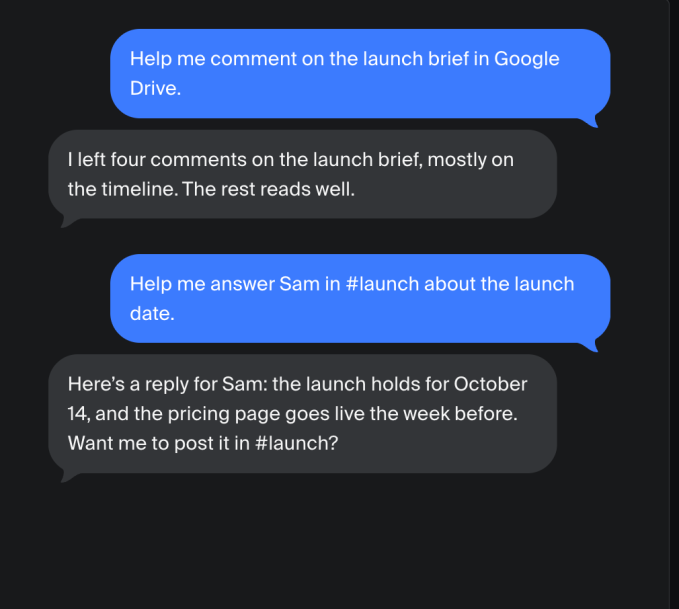
- Town is aimed at professional life. It gives each user a "Townie" that learns how they work and helps with email, calendars, documents, Slack, and other work tools.
- Comma is designed to follow tasks through to completion across browser, computer, and files, while staying accessible through messaging apps such as Signal, Telegram, and WeChat.
- Stanley focuses on creators. It helps generate ideas, convert them into posts, manage a content calendar, and turn voice notes into scripts or captions.
- Szn is built around one conversation thread for tasks and follow-ups, including calls, emails, and coordination with others.
What to watch as the category develops
The common thread across these tools is not just chat. They are trying to move from conversation to action.
That raises a few practical questions users will likely care about:
- How much context the agent can retain across conversations and devices
- What services it can connect to and whether those integrations are broad enough to be useful
- How it handles sensitive tasks, such as email, payments, calls, and account sign-ups
- Whether the agent runs in the cloud or on-device, which affects privacy and control
- How much autonomy it has, especially when it can send messages or act without a fresh prompt
Some companies are already leaning into that autonomy by giving agents their own phone numbers, email addresses, or payment tools. Others are emphasizing security, privacy, or human backup when the agent hits a boundary.
For now, the space is still early, but the direction is clear: messaging is becoming the front door for AI assistance, and the competition is shifting toward which assistant can reliably finish real tasks rather than simply answer questions.